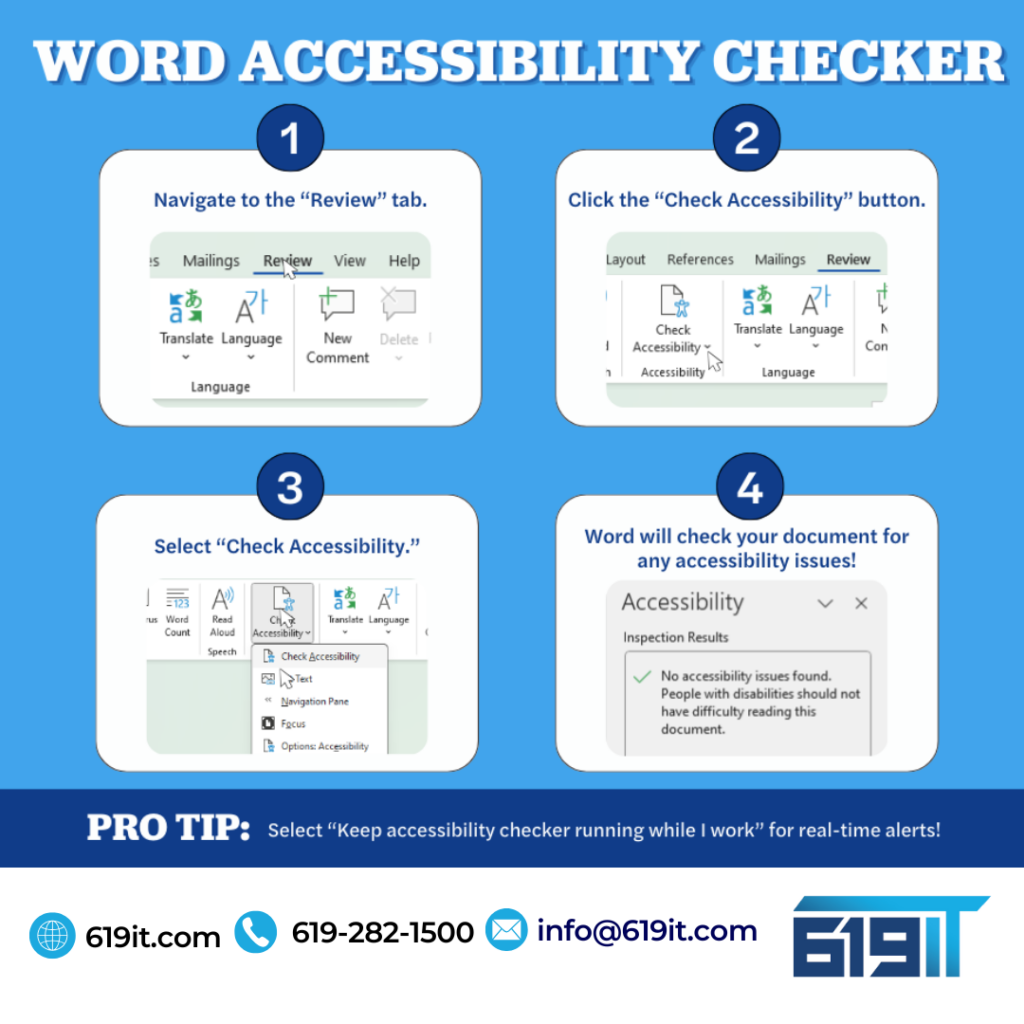
Word Accessibility Checker
Using the Word Accessibility Checker when sending emails is crucial for ensuring that your content is accessible to everyone, including individuals with disabilities. This tool helps identify and fix accessibility issues, such as missing alternative text for images, insufficient color contrast, and improper use of headings. By addressing these issues, you make your emails easier to read and understand for people who rely on assistive technologies like screen readers.
Moreover, using the Accessibility Checker promotes inclusivity and ensures compliance with accessibility standards and regulations. It helps you create content that is not only accessible but also more professional and user-friendly. This can enhance the overall effectiveness of your communication, ensuring that your message reaches and resonates with a broader audience.
If your business needs help with compliance, accessibility or anything IT, give us a call at 619-282-1500.